
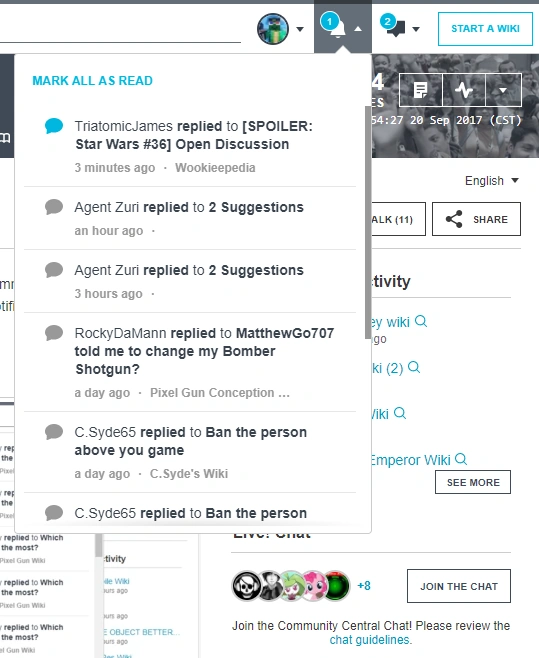

Discussions notifications
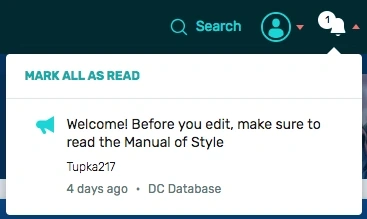

An announcement notification


Forum and Message Wall notifications
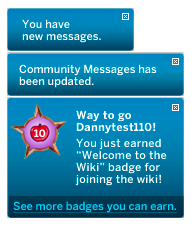

Various types of messages that may display in the lower right corner
Notifications alert you to new messages on Memory Alpha or activity on Fandom in general. They help in keeping you informed of the latest events related to your community and your account. Notifications may appear in the upper right or lower right of your screen, depending on the feature.
Discussions and Announcements
Notifications from Discussions and Announcements are shown when you hover on the "bell" icon dropdown.
You will automatically receive a notification in there if any of the following actions take place:
- A user upvotes your posts or replies.
- There is a new reply on a post that you are following, on any community.
- There is an announcement created on a community where you have been active in the past 90 days.
Notifications on the "bell" icon are sorted chronologically. They can be dismissed individually (without following the link) by clicking on the icon at the left of each notification. They can be dismissed as a group by using the "Mark all as read" option at the top left of the list.
Other messages
You will automatically receive a notification in the lower right if any of the following actions take place:
- Your user talk page on Memory Alpha or any other community is edited.
- An admin updates announcements from the community you are currently viewing.
- A new message from Fandom staff is created.
This type of notification can be dismissed by clicking the "X" in the upper right corner of the notice.
Summary
| Notification | Where will it link to? | Duration |
|---|---|---|
| New reply, upvote, announcement, or direct message | Discussions post or talk page | Remains until visited or dismissed |
| Updated community message | Community Corner on recent changes | Can be dismissed or disappears 24 hours after the update to Community Corner |
| Message from Fandom Staff | Varies depending on the message | Can be dismissed |
Lower-right notification bubble colors are the same as button colors, and can be changed by admins in the Theme Designer.
Next pages
- Learn how to edit your toolbar
- Learn about Recent changes